Share browsers to Users
This feature allows you to share browsers with multiple employee accounts for efficient team collaboration.
Steps:
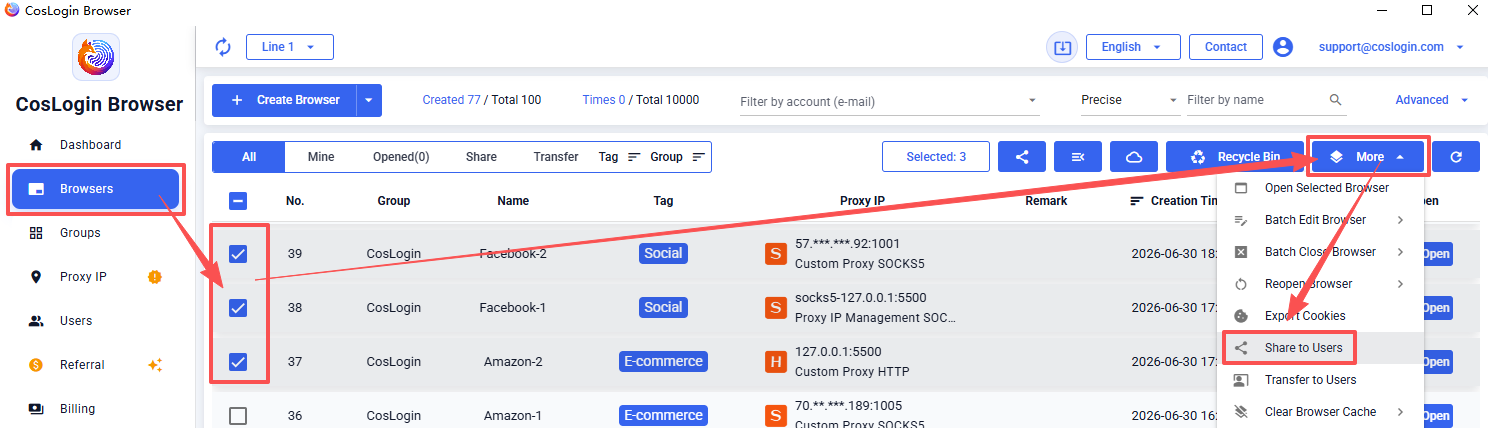
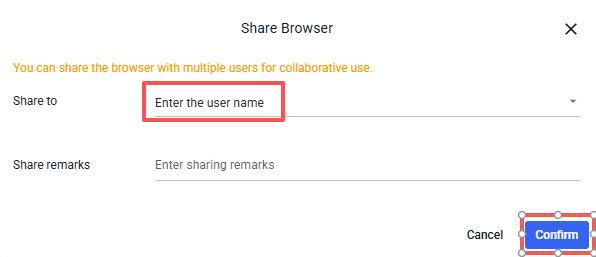
Go to [Browser] in the left sidebar -> Select the browsers you want to share -> Click [More] in the upper right corner -> Choose [Share to users] -> Enter the employee's username or email -> Click [Save] to complete the sharing process.
Once completed, the specified users can access and collaborate using the shared browsers.