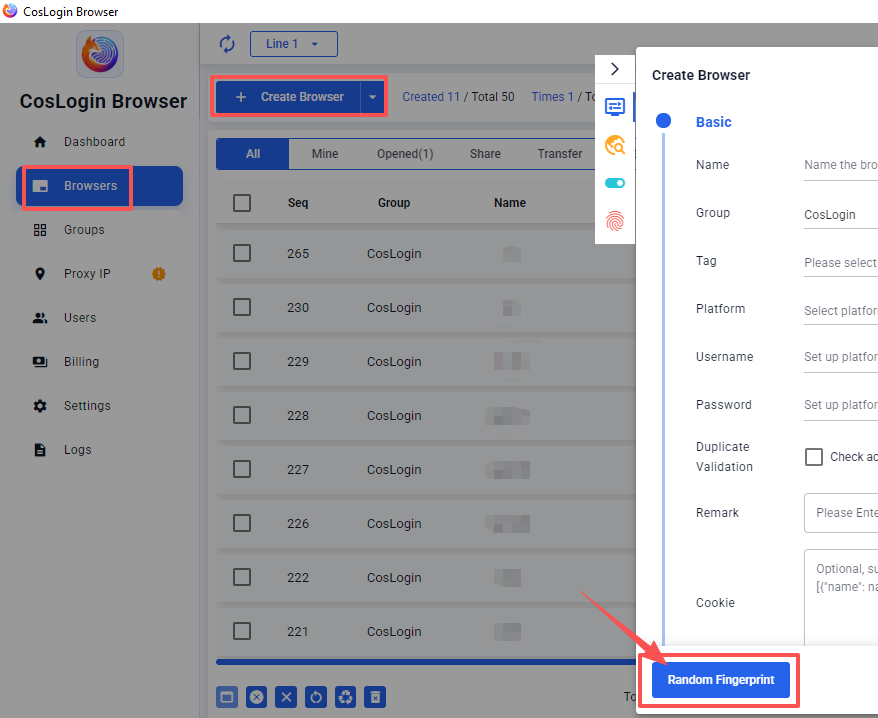
One-Click Random Fingerprint Configuration
One-Click Random Fingerprint Configuration helps you quickly create a unique and independent fingerprint for each browser profile, eliminating the hassle of manual settings and easily achieving an anonymous browser environment.
Steps:
- Click the Create Browser button on the main client interface.
- In the profile configuration panel, click Random Fingerprint.
- The system will automatically assign a unique, independent fingerprint to the browser profile.