Launch Parameters
Browser launch parameters are additional command-line arguments passed when starting the browser, used to control browser behavior or enable specific debugging features.
Please use this feature with caution. Incorrect configuration may affect normal browser operation.
Steps:
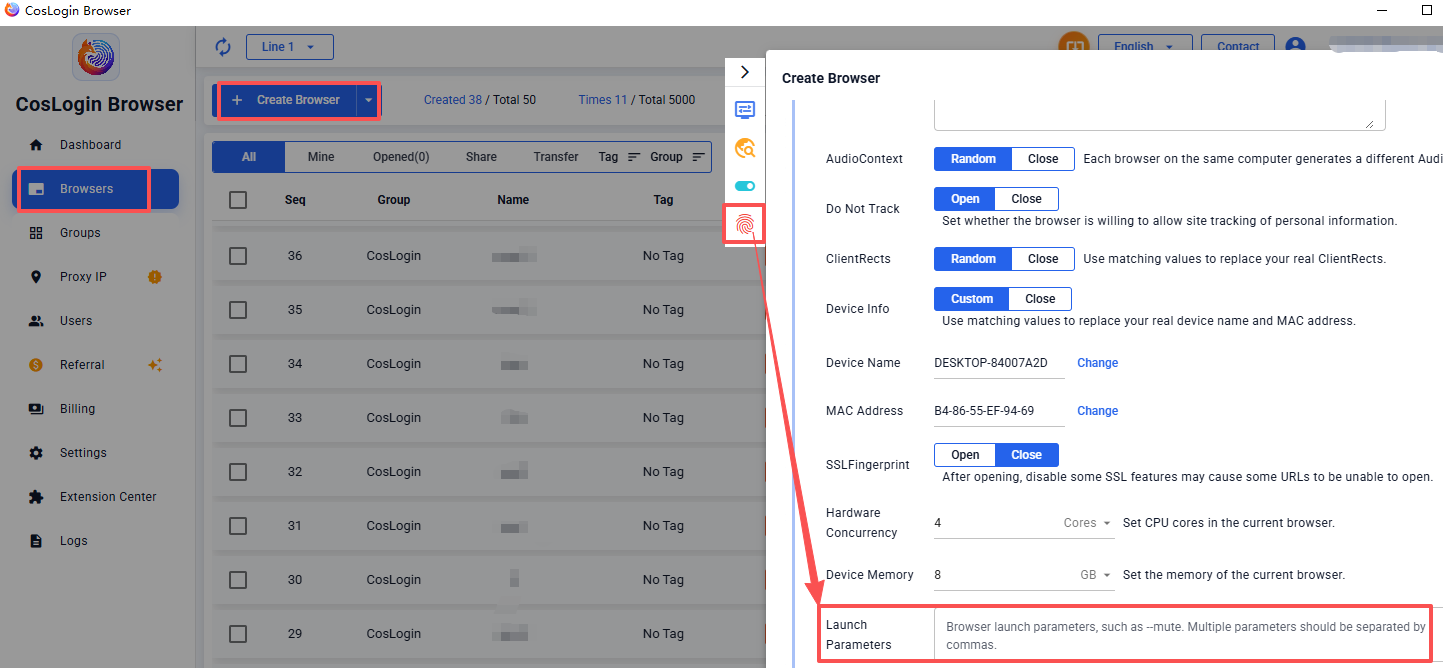
- Click the Create Browser button on the main client interface.
- In the profile configuration panel > Fingerprint > Launch Parameters.
- Enter the launch parameters, for example: --mute
Note: Multiple parameters should be separated by commas.