Transfer browsers to Others
This feature allows you to transfer browser windows to other users. Once transferred, ownership of the browser windows will be transferred to the recipient.
Steps:
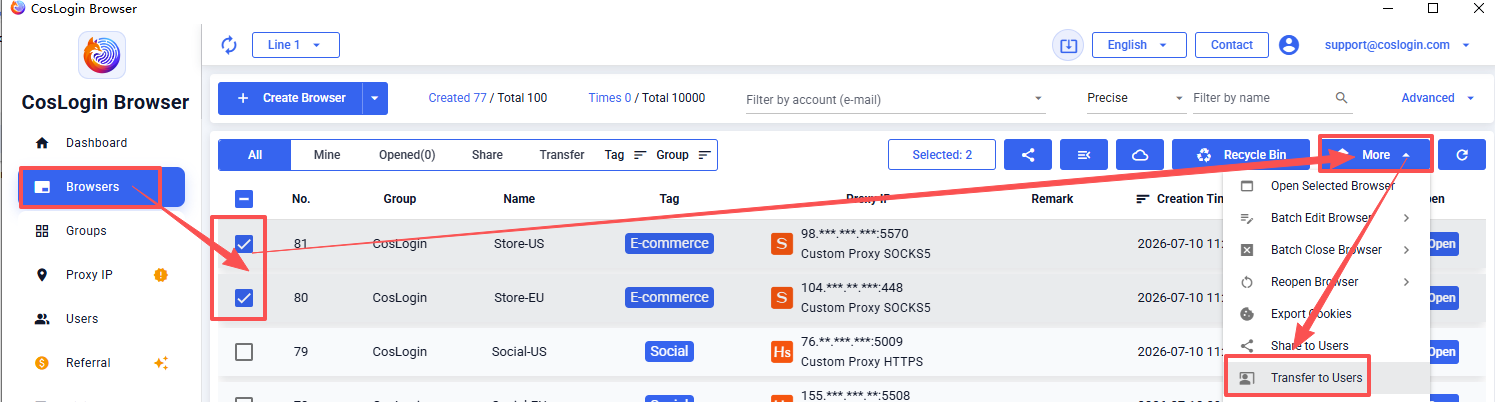
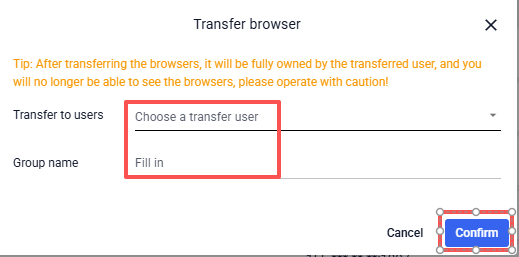
Go to [Browser] in the left sidebar -> Select the browsers you want to transfer -> Click [More] in the upper right corner -> Choose [Transfer to users] -> Enter the recipient's username or email and group name -> Click [Save] to complete the transfer.
Once the transfer is complete, you will no longer be able to view or use the transferred browsers. Please make sure you have selected the correct browsers and recipient before proceeding.