Operating System Version
When creating a new browser profile, you can select the operating system version to simulate, allowing parallel use of multiple OS environments across different windows.
Steps:
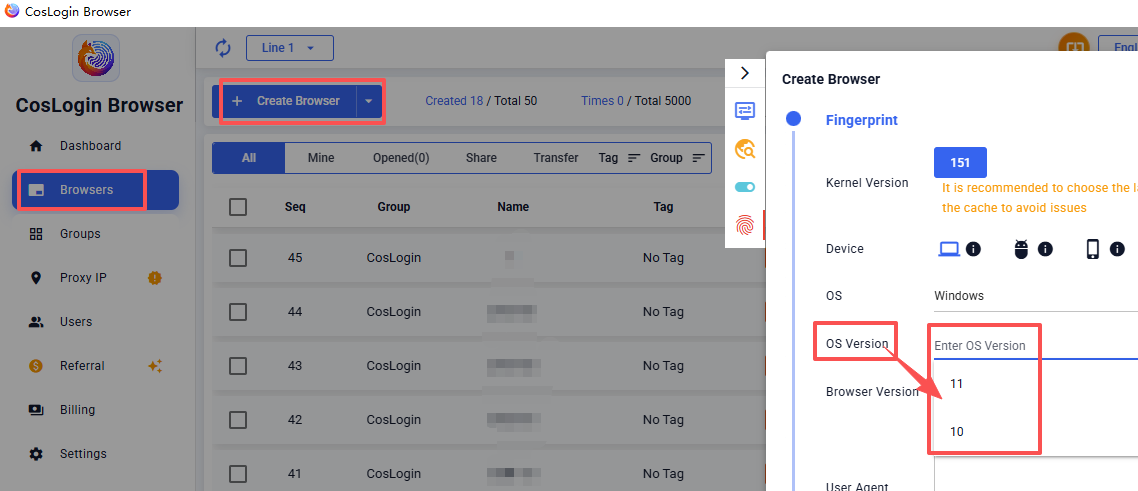
- Click the Create Browser button on the main client interface.
- In the profile configuration panel -> Fingerprint -> Device -> OS -> OS Version.
- Select the desired system version to simulate from the dropdown list.
- After confirming the rest of the configuration, save and launch the profile.
Specifying different operating system versions for different device enables simultaneous simulation of various system environments, meeting multi-scenario requirements.