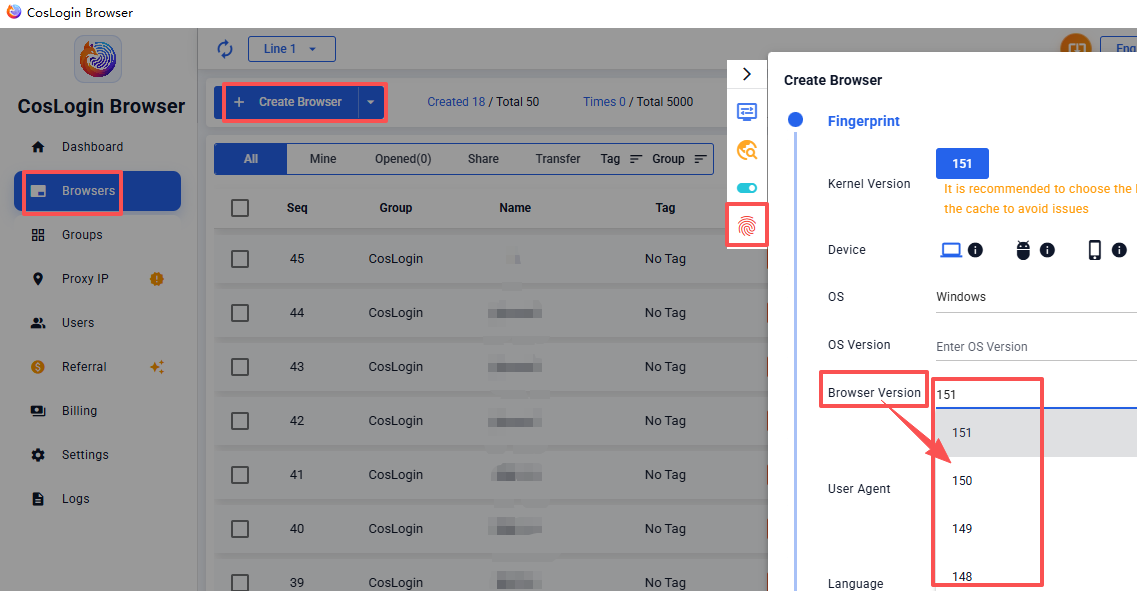
Browser Version
After selecting a different browser version, the system will randomly generate a matching User-Agent (UA) string. This allows you to simulate different UA characteristics under a unified browser version, avoiding fixed fingerprints and enhancing anonymous browsing.
Steps:
- Click the Create Browser button on the client main interface.
- In the profile configuration panel > Fingerprint > Browser Version.