Fonts
Introduction to Font Fingerprinting
Specific fonts, common fonts, and uninstalled fonts on your device collectively form the font combination of that device, ultimately generating a font fingerprint. Font fingerprinting is primarily achieved through the browser's JavaScript API; the basic principle is that the browser can obtain and report the list of fonts available on the user's device. This font list, combined with other browser and device information, forms a unique browser fingerprint.
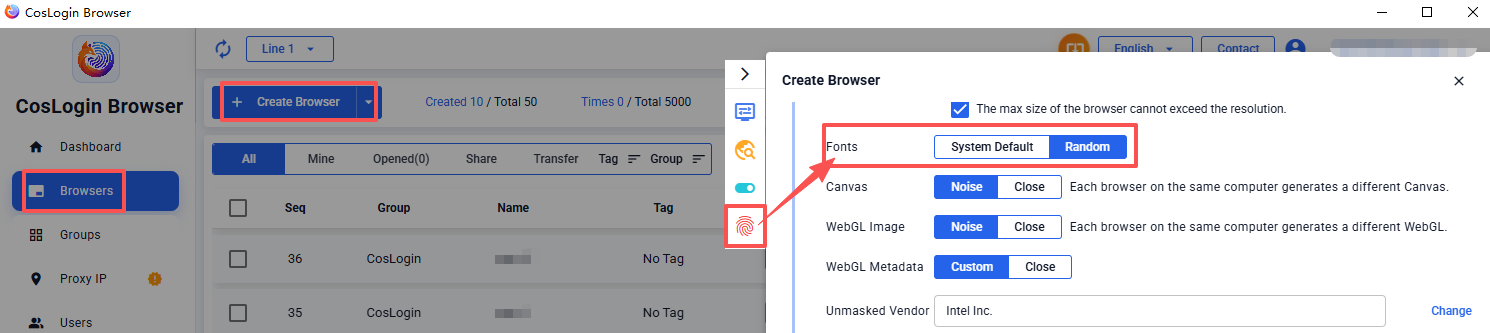
CosLogin allows you to choose System Default or Random fonts when creating a new browser profile, generating different font combinations and causing font fingerprints to differ.
Steps:
- Click the Create Browser button on the main client interface.
- In the profile configuration panel > Fingerprint > Fonts, select the font matching method as needed.