Custom Proxy Settings
- Open the CosLogin client.
- Access the Proxy IP settings page through any of the following methods:
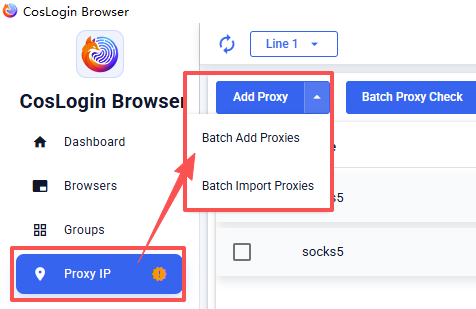
- Click Proxy IP in the left sidebar to add a proxy.
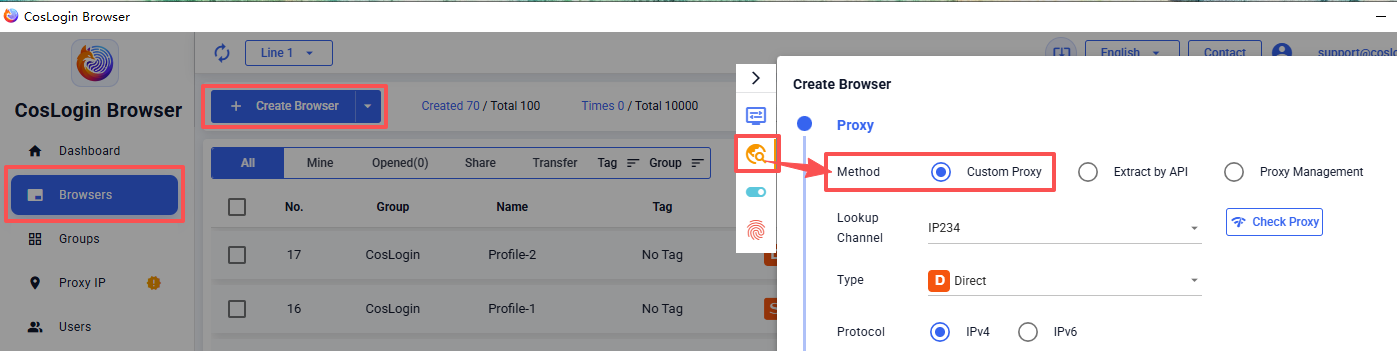
- Go to the Proxy IP settings when creating a browser profile.
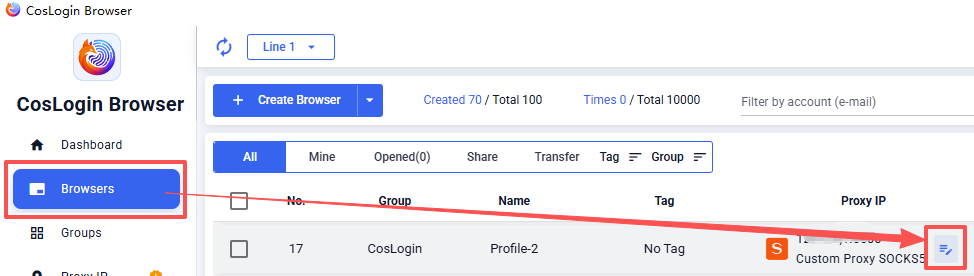
- In the "Browser" list, click the
 in the Proxy IP column to open the settings page.
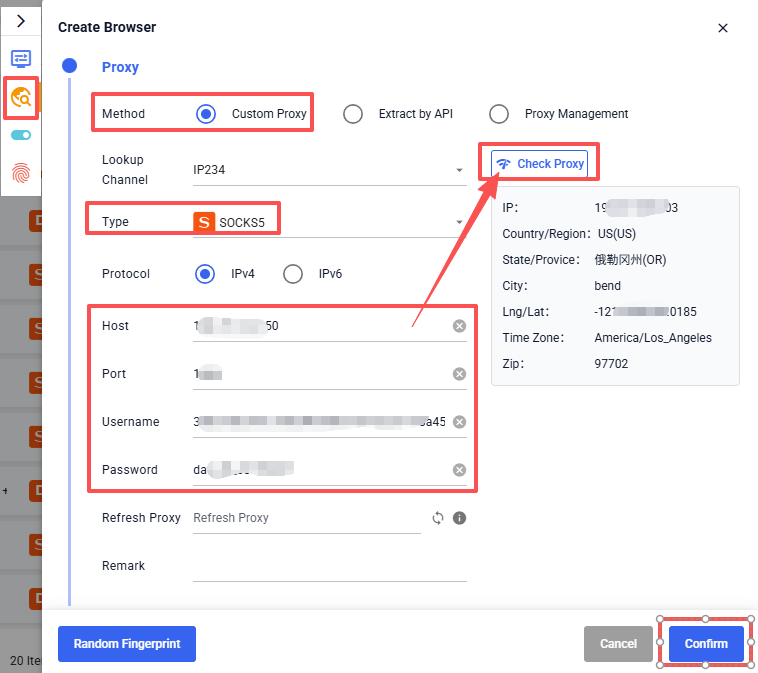
- In "Proxy Method", select Custom Proxy.
- Select the "Lookup Channel", or keep the default settings.
- Select the proxy type (HTTP, HTTPS, Socks5, SSH).
- Enter the proxy details in one of the following formats:
- IP:port:username:password (leave username and password empty if not required)
- username:password@IP:port
- Click Check Proxy to check the IP information.
- Click Confirm to save the settings.