Device Types
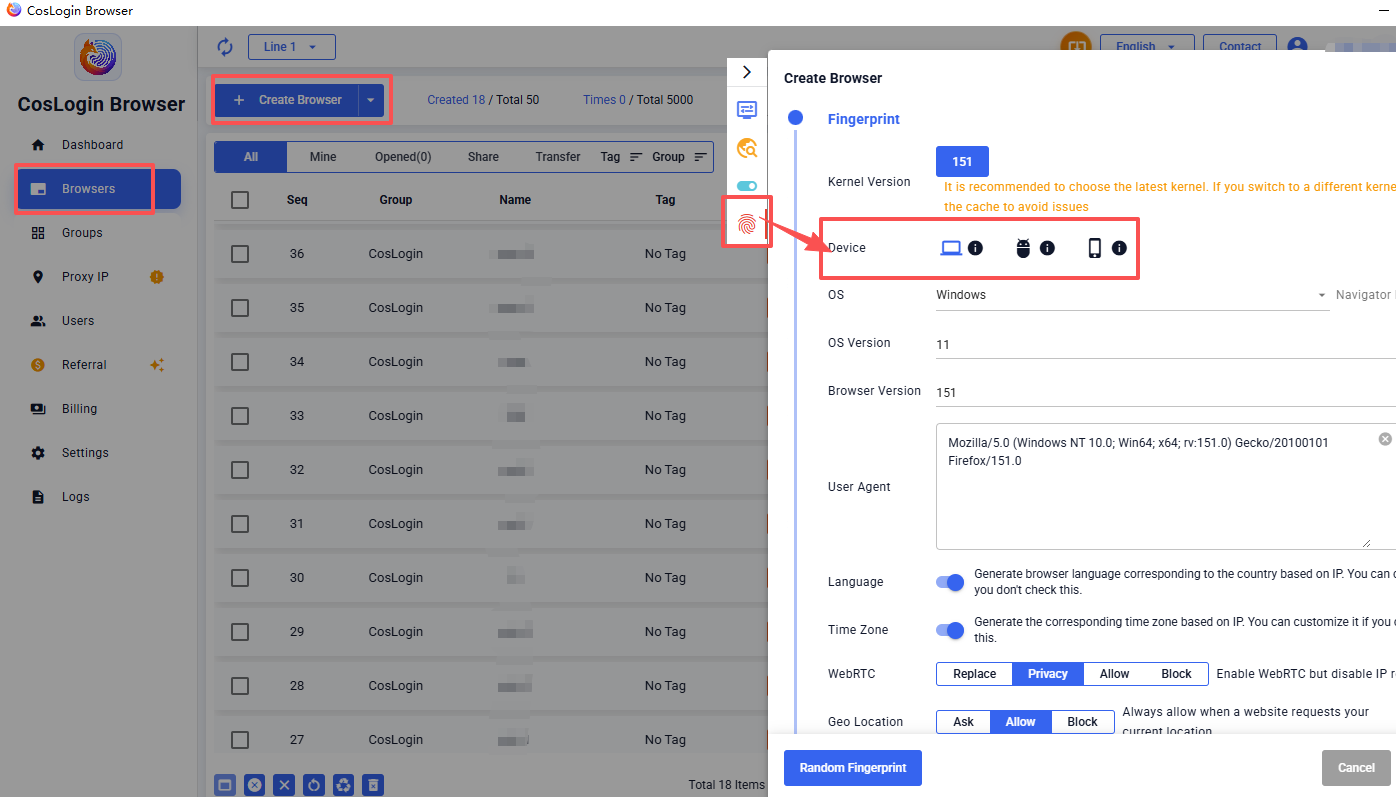
Based on your needs, you can choose to simulate either a desktop or mobile browser environment. The system will automatically generate a corresponding device fingerprint and User-Agent (UA).
- Desktop: Windows, macOS, Linux
- Mobile: Android, iPhone
Steps:
- Click Create Browser on the main interface.
- In the profile configuration panel, go to Device.
- Select the device type to switch between different operating system fingerprints.