
Batch Export Cookies
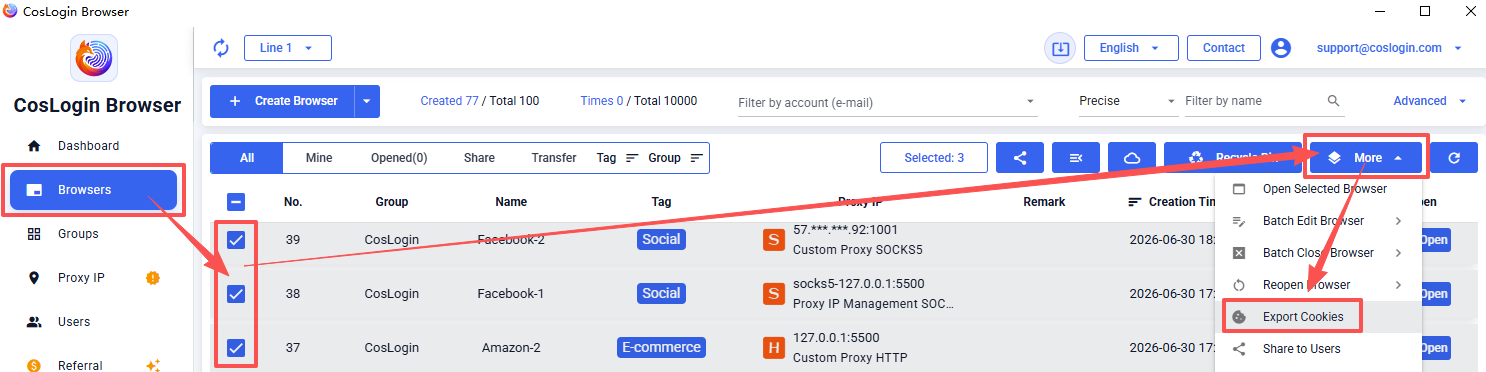
Go to [Browser] in the left sidebar -> Select the browsers you want to export cookies from -> Click [More] in the upper right corner -> Choose [Export Cookies] -> Choose a save location and click “Save” to complete the Cookie export.
Note: The exported file can be used to batch update cookies for multiple browsers.