Password Verification for Transferring / Sharing
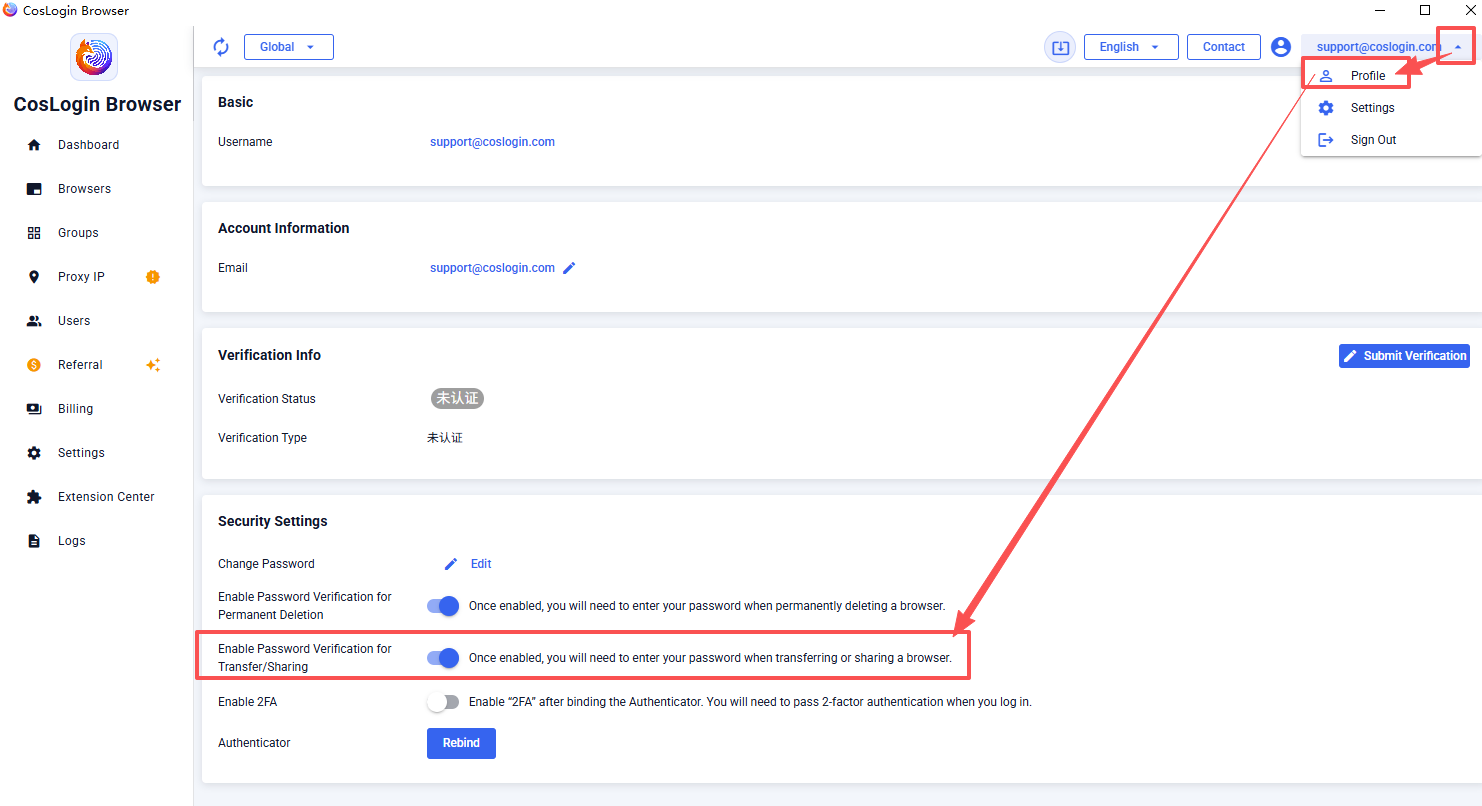
- Click your username or email in the upper-right corner of the CosLogin client to open Profile.
- Under Security Settings, find Enable Password Verification for Transferring/Sharing:
- When enabled: You must enter your CosLogin password to transfer or share a browser.
- When disabled: No password is required. You can transfer or share a browser directly.
Share article
Last modified: 2026-09-05
