
Delete Browser
If you need to delete browsers, you can choose either of the following methods.
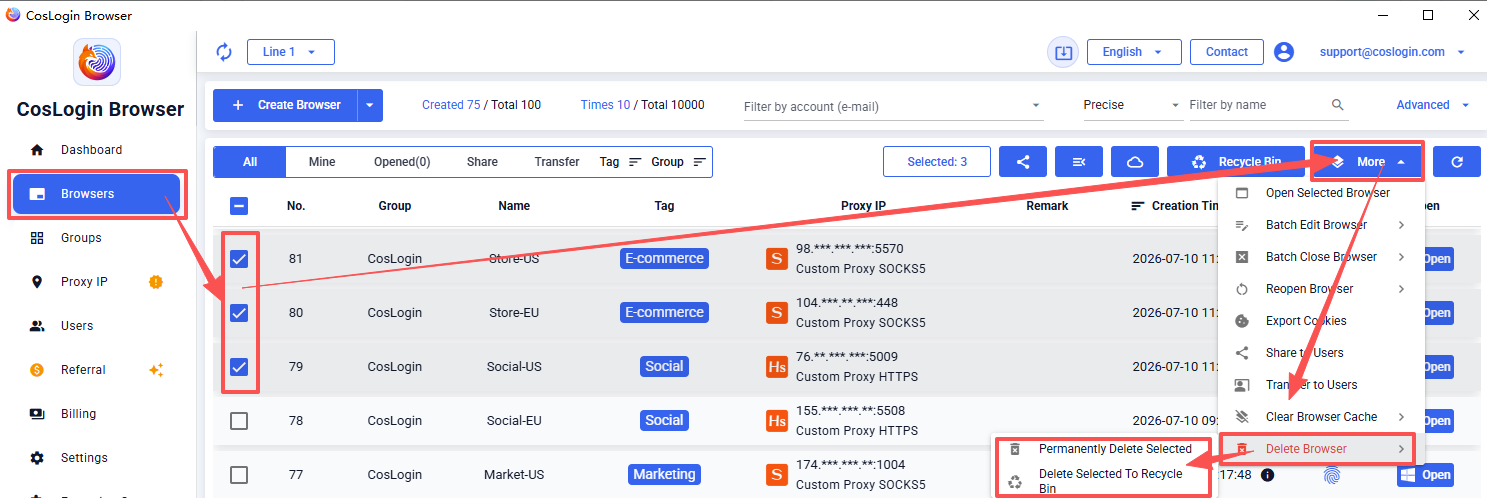
Method 1:
Go to [Browser] in the left sidebar -> Select the browsers you want to delete -> Click [More] in the upper right corner -> Choose [Delete Browser].
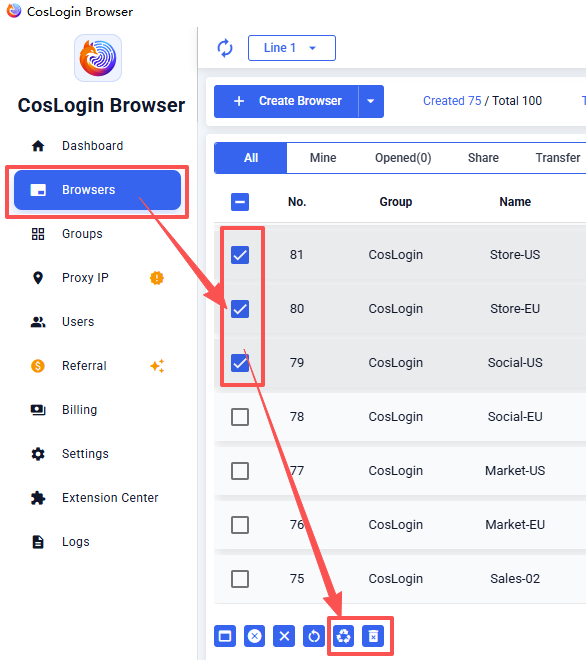
Method 2:
Go to [Browser] in the left sidebar -> Select the browsers you want to delete -> Click the icon at the bottom.
Deletion Options:
1. Permanently Delete Selected
- Permanently deletes the selected browser and all associated data.
- Once deleted, the browsers cannot be recovered. Please proceed with caution.
2. Delete Selected to Recycle Bin
- Delete the selected browsers to the Recycle Bin, where they can be restored.