Open Selected Browsers
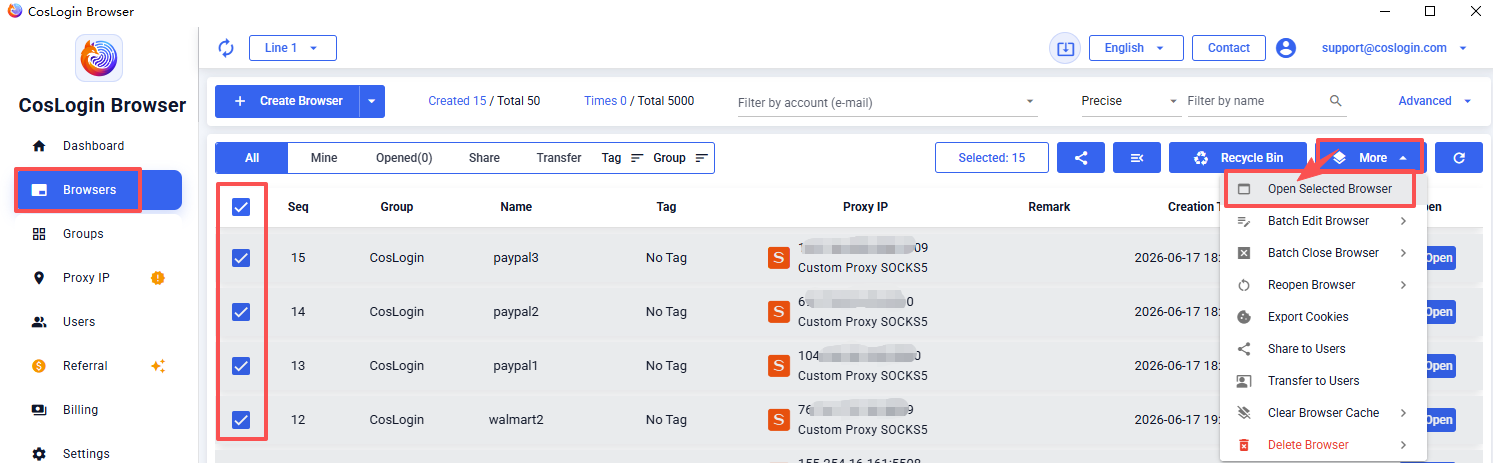
Go to [Browser] in the left sidebar -> Check the browsers you need to open -> Click [More] in the upper right corner -> Select [Open Selected Browsers] to launch the selected browser profiles.
 CosLogin Help Center
Go to [Browser] in the left sidebar -> Check the browsers you need to open -> Click [More] in the upper right corner -> Select [Open Selected Browsers] to launch the selected browser profiles.