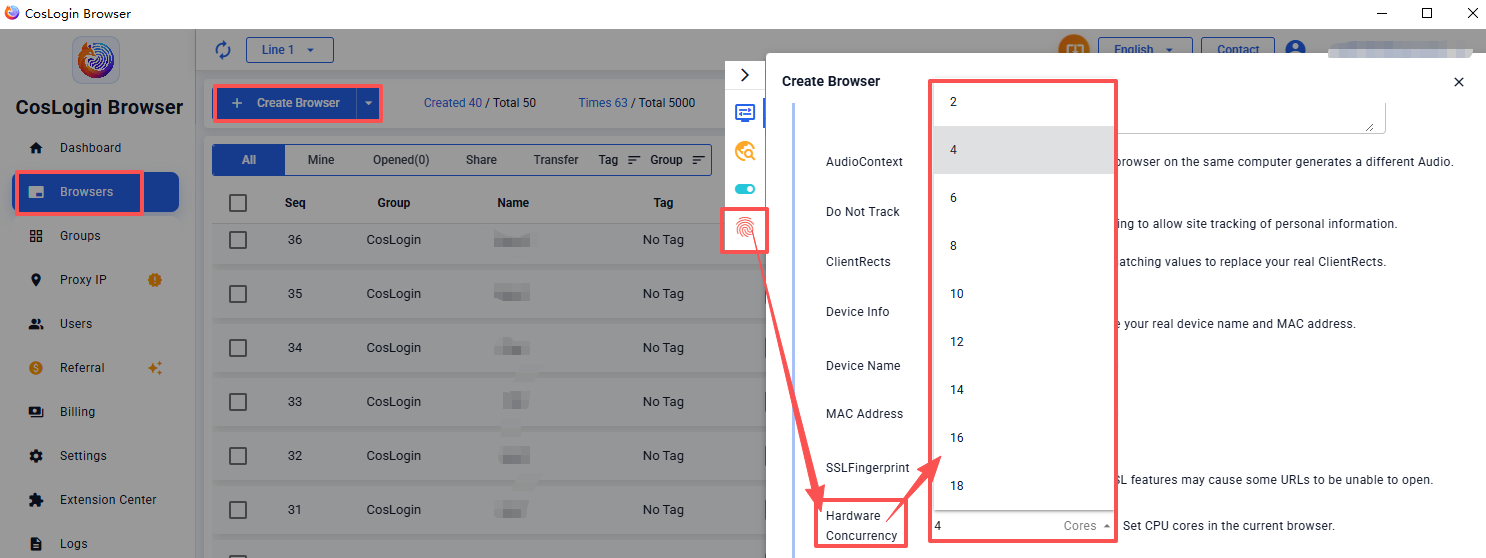
Hardware Concurrency
Hardware concurrency refers to the number of CPU cores available for parallel processing on a device, such as 2, 4, 6, or 8. Users can set the number of CPU cores for the current browser environment as needed.
Steps:
- Click the Create Browser button on the main client interface.
- In the profile configuration panel > Fingerprint > Hardware Concurrency, then select the desired value.