Browser Language
The Role of Browser Language
Language is one of the basic browser fingerprints. The language setting of the navigator object helps websites identify your preferred language, and the website will present content in the corresponding language based on this value. Like other navigator properties, language information can also be used for browser fingerprinting.
After a website reads the language property via JavaScript, it can obtain a code representing language/region, such as zh-CN, en-US, fr-FR, etc. These parameters come from the browser's language preferences. Once you set the browser language, every time you visit a website or make an HTTP request, the page script can retrieve your browser language value.
Steps:
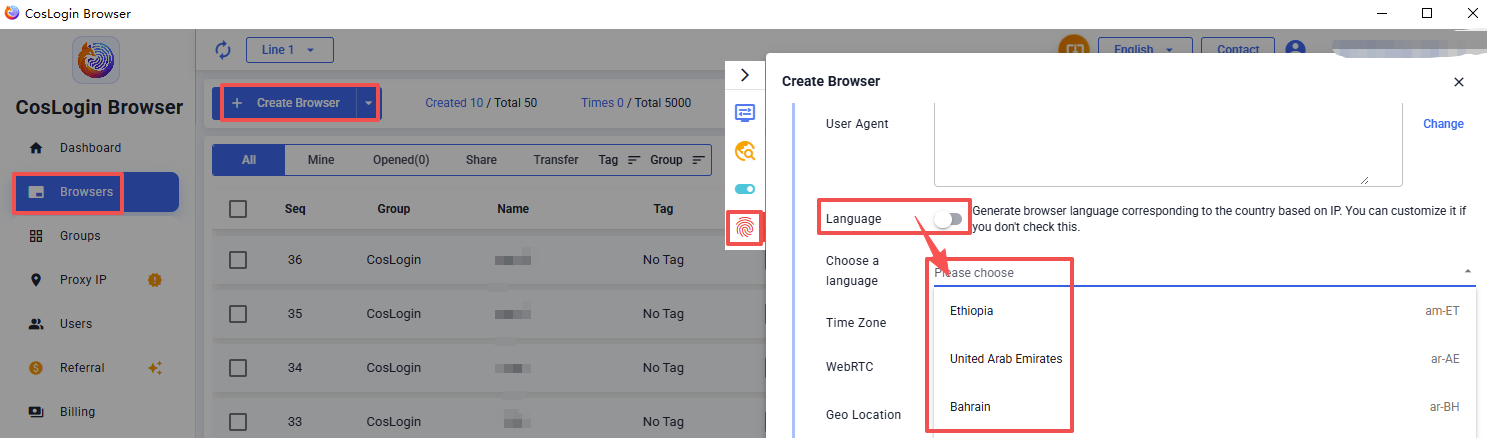
- Click the Create Browser button on the main client interface.
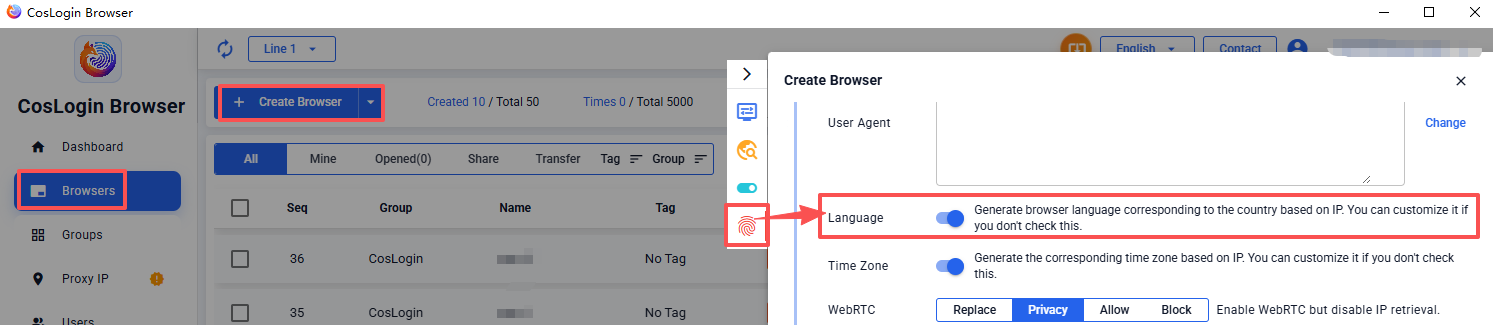
- In the profile configuration panel > Fingerprint > Language.
2.1 - Enable the “Generate browser language based on IP country” feature, and the system will automatically match the browser language according to the country associated with the IP.
2.1- After disabling this feature, you can manually select a language. For example:
- Set to
zh-CN, the browser displays language as Chinese; - Set to
en-US, the browser displays language as American English.
Note:
Keep the language as consistent as possible with the language corresponding to the proxy IP address you are using.